Multi-Track Spectrum
Overlay spectra from up to eight tracks, identifying each by name and color. Examine the frequency balance and overlaps of different instruments in one view.

PRISM EQ / ORIGINAL
WINDOWS VST3
A 24-band Dynamic EQ designed to help you see the mix and quickly reach the frequency range or track that needs attention. Overlay spectra from up to eight tracks in one view, connecting tone shaping with cross-track comparison.
Downloads and full version sales are paused while we update our systems. They will resume as soon as everything is ready.
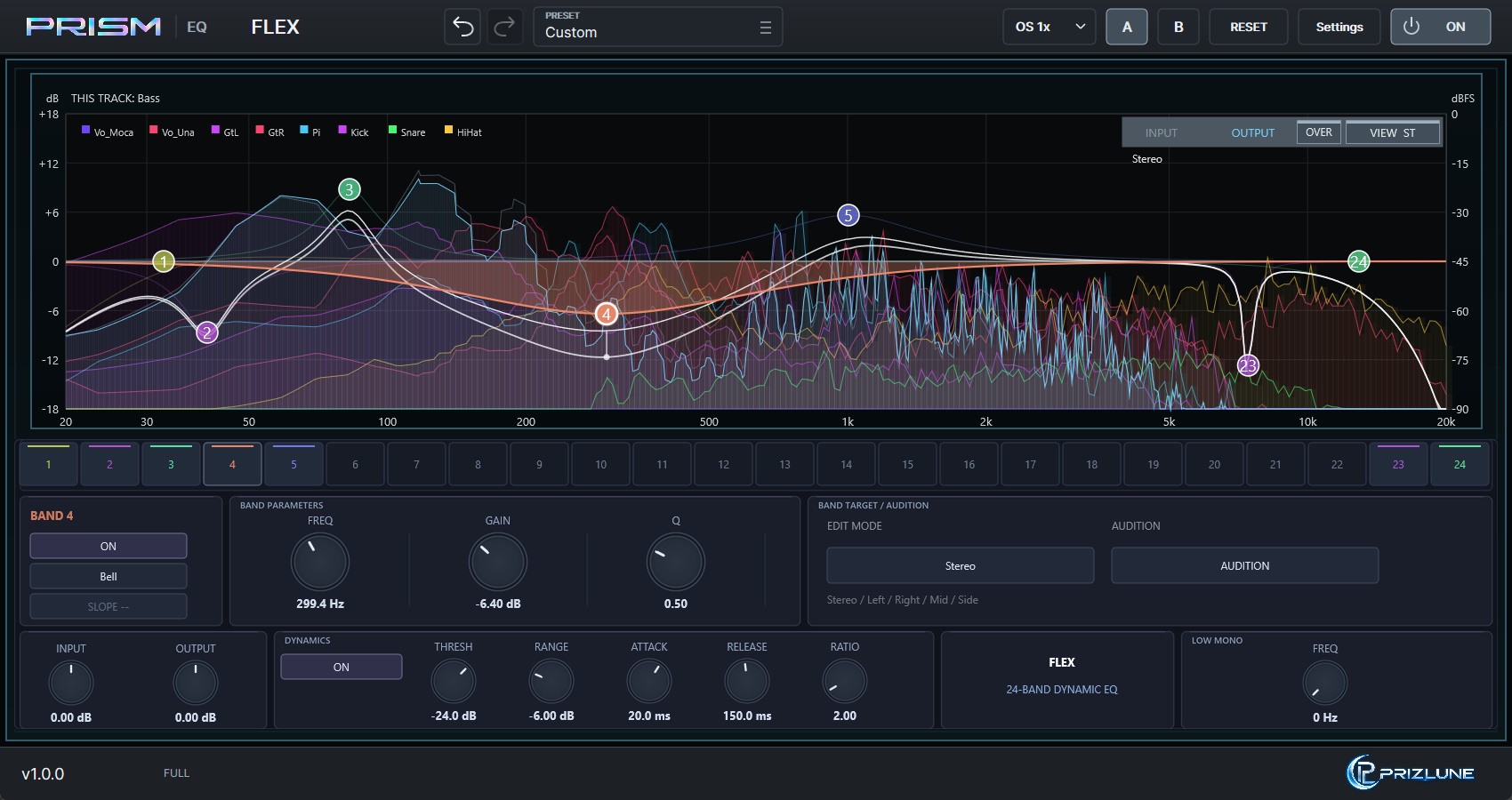
* Images show development builds and may differ from the released product.
THE FLEX WORKFLOW
When a frequency overlap catches your attention, compare spectra from other tracks without repeatedly switching plugin windows. FLEX connects the workflow: find an issue, listen to the band, and move to the track you want to adjust.
KEY FEATURES
Overlay spectra from up to eight tracks, identifying each by name and color. Examine the frequency balance and overlaps of different instruments in one view.
Up to 24 parametric EQ bands with Bell, Low Shelf, High Shelf, HPF, LPF, and Notch filters for precise correction or creative shaping.
Enable dynamic processing on each band. Adjust Threshold, Range, Attack, Release, and Ratio for level-dependent frequency control.
Choose Stereo, Left, Right, Mid, or Side for each band to shape the full signal or a particular channel and stereo component.
MULTI-TRACK CONTROL
Multi Overlay settings list the track names received from other FLEX instances. Change colors and visibility to focus on the tracks you want to compare. These settings are shared among FLEX instances in the project.
* OPEN has been tested in REAPER, Cubase, and Ableton Live. It does not work in FL Studio due to host limitations; other DAWs have not been verified.
* The multi-track view is shared among FLEX instances running in the same DAW process. If each plugin runs in its own process (e.g. REAPER's dedicated per-plugin process mode), other tracks will not appear, and when plugins run in a separate process, track names may not be available.
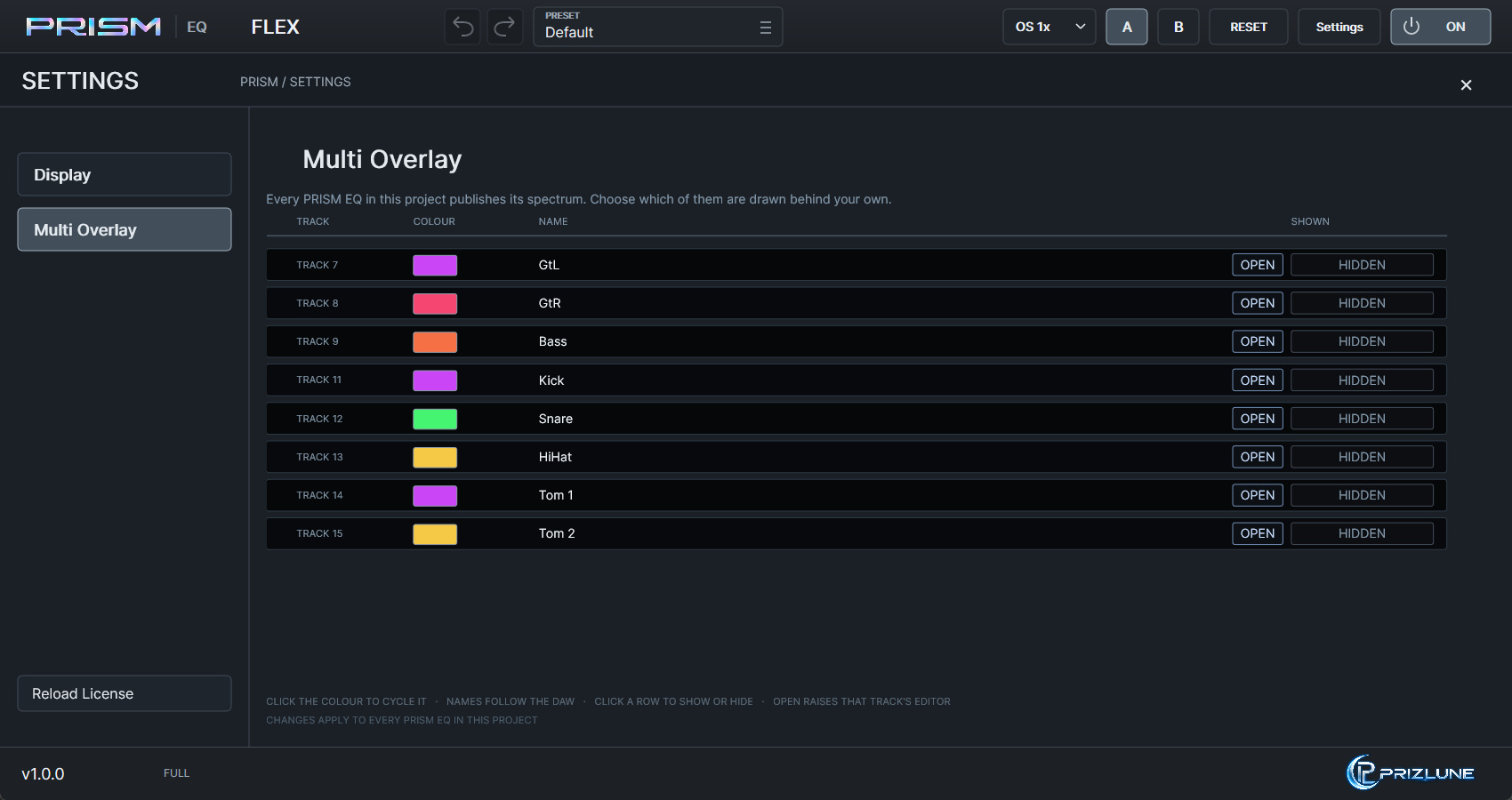 Multi Overlay settings (click to enlarge)
MORE CONTROL
Listen to the selected band's frequency range in isolation to check what you are adjusting.
Sum frequencies below a chosen point to mono to manage low-frequency stereo width.
Compare A/B settings and adjust input/output gain while evaluating your changes.
Choose between x1, x2, x4, and x8 oversampling.
SYSTEM REQUIREMENTS
* Requires a VST3-compatible DAW. Not every system or feature is guaranteed to work.
DOWNLOAD / BUY
Downloads and full version sales are paused while we update our systems. They will resume as soon as everything is ready.
One installer for the trial and the full version. After installing, press START TRIAL for a 14-day trial (free account required).
After buying, press ACTIVATE in the plugin to unlock the full version.