Three Revisions
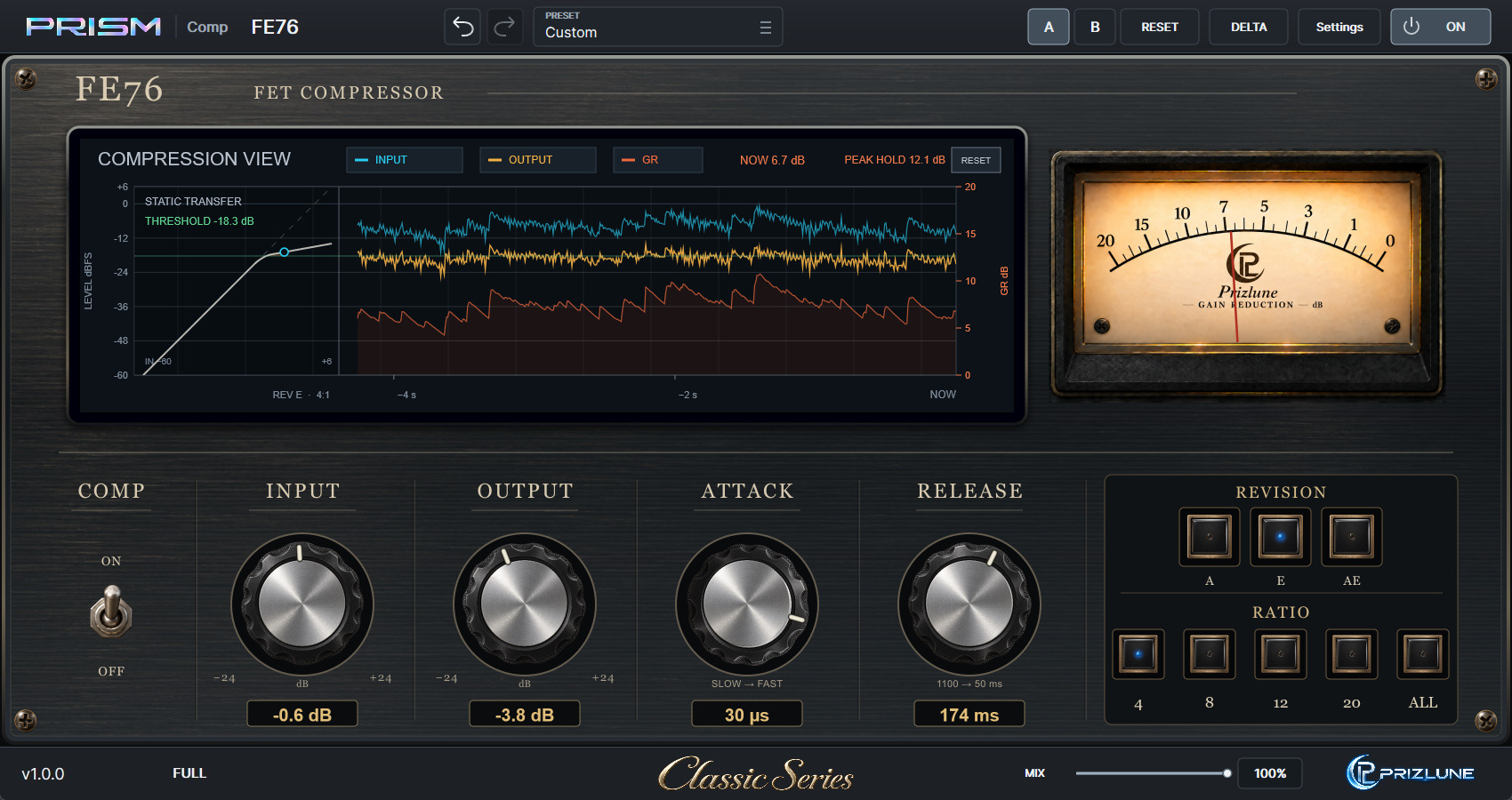
Switch between revisions A, E and AE with one button. Each changes how compression grabs and releases and how much harmonic colour it adds, so the same settings give a different character.

PRISM COMP / CLASSIC
WINDOWS x64 VST3
Inspired by Universal Audio 1176-style FET compressors, a PRISM interpretation of their workflow and character, with three revisions and a large monitor that shows exactly what the compression is doing.
Hear it: drum comparisonsDownloads and full version sales are paused while we update our systems. They will resume as soon as everything is ready.
* Images show development builds and may differ from the released product.
* 1176 is a trademark of Universal Audio, Inc. Prizlune is not affiliated with, licensed by or endorsed by Universal Audio. The name is used only to identify the type of equipment that informed the design; this product does not fully reproduce its sound or functions.
LISTEN
Hear the same drums through different FE76 settings. Switching keeps the playback position, and REVISION A / E / AE can be switched on the fly.
The audio could not be loaded. Please try again later.
KEY FEATURES
Switch between revisions A, E and AE with one button. Each changes how compression grabs and releases and how much harmonic colour it adds, so the same settings give a different character.
Choose from the ratios each revision offers, including ALL. Hold Shift to press several ratios at once.
ATTACK from 800 to 20 µs and RELEASE from 1100 to 50 ms: the fast response FET compressors are known for, to catch peaks quickly.
Input and output waveforms, the compression curve and gain reduction on one display. Live GR and peak-hold readouts show exactly how much you are compressing.
Follow the stereo-linked gain reduction on an analog-style VU meter as well.
Blend with the dry signal for parallel compression right in the plug-in. DELTA lets you hear only what the compression removes.
Switch only the compression on and off while keeping the input and output colour, for a fair comparison.
A/B comparison, named presets, Undo / Redo and display sizes from 50 to 200%.
DOWNLOAD / BUY
Downloads and full version sales are paused while we update our systems. They will resume as soon as everything is ready.
Format: Windows x64 / VST3.